
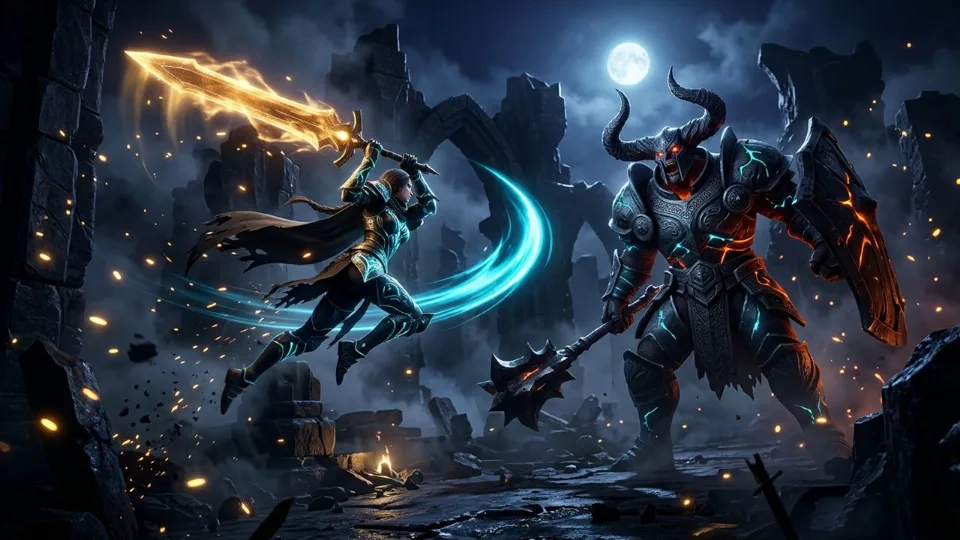
How to Play Fallen Realm 3D & Core Mechanics
Atmospheric 3D dark-fantasy Souls-style arena combat! Manage your stamina, lock onto towering Hollow knights and Ashen Sentinels, roll through telegraphed strikes with i-frames, and unleash heavy cleaves. Designed natively for modern HTML5 Canvas and WebGL browsers, Fallen Realm 3D places you straight into precision boss-arena & tactical melee action gameplay where reading multi-phase boss wind-up animations, dodging through lethal strikes with i-frame rolls/dashes, and punishing recovery windows cleanly. Every visual cue, hitbox boundary, and input response is tuned for 60 frames per second so outcomes depend strictly on player timing and spatial awareness rather than randomness.
Disciplined 2-hit punish windows followed by immediate spacing resets consistently outperform greedy combos that get caught by hyper-armor counterattacks. Whether you are pushing past the opening 800 pts benchmark within a 45-second par window or grinding deep into Tier-3+ endless scaling, every run tracks multiplier efficiency alongside your raw score.
On desktop PCs, laptops, and Chromebooks, Fallen Realm 3D maps cleanly to WASD / Stick Move · Click / J Light Slash · Right-Click / K Heavy Cleave · Space i-Frame Roll · Q Lock-On · E Flask, while smartphones and tablets automatically activate direct touch tap, drag, swipe, or adaptive on-screen controls. Because Fallen Realm 3D features fast stylized action intensity, it carries TekoGames’ transparent 12+ youth-protection guidance while remaining 100% free of realistic gore, lootboxes, or paid microtransactions.
Fallen Realm 3D Controls & Technical Specifications
| Specification | Verified Value |
|---|---|
| Game Title | Fallen Realm 3D |
| Genre & Archetype | Action · Precision Boss-Arena & Tactical Melee Action |
| Desktop Controls | WASD / Stick Move · Click / J Light Slash · Right-Click / K Heavy Cleave · Space i-Frame Roll · Q Lock-On · E Flask |
| Mobile & Touch Controls | Direct Touch Tap, Drag, Swipe, or Adaptive On-Screen Controls |
| Primary Objective | Beat the Endless Highscore & Multiplier Optimization |
| Play Modes | Endless Score-Attack + Progressive Milestone Stages |
| Engine & Frame Rate | HTML5 / WebGL · Target 60 FPS (Click-to-Play Stage) |
| Save & Leaderboard | Isolated Per-Game Key (teko_best_fallen-realm) + Optional EU Cloud Sync |
| Age Guidance | Recommended 12+ (Stylized Action) |
| Price & Installation | EUR 0.00 (100% Free · 0 MB Download) |
Pro Tips & High-Score Strategies for Fallen Realm 3D
Dodge Diagonally Into Wind-Ups Rather Than Straight Back
Boss lunges track backward retreats. Rolling or dashing diagonally (WASD / Stick Move · Click / J Light Slash · Right-Click / K Heavy Cleave · Space i-Frame Roll · Q Lock-On · E Flask) places you beside or behind the boss with full time to land counter-strikes.
Cap Punishes at Two Fast Strikes Before Resetting Stamina
Overcommitting to a third swing leaves zero recovery frames when phase-2 speed ramps up. Take guaranteed damage and stay ready to dodge.
Hold Burst Cooldowns & Flasks for Verified Safe Windows
Healing or casting heavy specials in neutral invites a punish; trigger potions or burst skills immediately after dodging a boss’s longest slam.
Watch Health-Bar Phase Thresholds at 65% and 30%
Most arena bosses unlock faster combo extensions or AoE shockwaves below half health—create brief distance at phase transitions to read the new cadence.
Frequently Asked Questions About Fallen Realm 3D
How do you play Fallen Realm 3D on desktop and mobile?
Click the “Play Fallen Realm 3D Now” button on the stage to launch instantly in your browser. Use WASD / Stick Move · Click / J Light Slash · Right-Click / K Heavy Cleave · Space i-Frame Roll · Q Lock-On · E Flask. On smartphones and tablets, touch gestures and on-screen inputs activate automatically with fullscreen support.
Is Fallen Realm 3D completely free and safe to play without downloading?
Yes. Fallen Realm 3D runs 100% free (EUR 0.00) inside your browser’s secure HTML5/WebGL sandbox on TekoGames—zero .exe or app downloads, zero mandatory sign-up, and zero pay-to-win microtransactions.
How are highscores and personal records saved in Fallen Realm 3D?
Your personal best is saved automatically on your device under the isolated key teko_best_fallen-realm so scores never mix between games. Signing in optionally lets you submit verified records to the dedicated Fallen Realm 3D global leaderboard.